
One connected assessment platform
From the first question to the final result.
Trivia World brings coaching teams and students into one clear flow—plan on the web, learn on web or Android, assess fairly, and act on the results.
How it works
Five steps. One connected journey.
- 01
Platform & institution
Set up a coaching space
An institution joins the platform. Owners invite staff, manage packages, batches, student access, and settings from the web dashboard.
- 02
Teachers & editors
Build once, use everywhere
Create subject question banks, add explanations and images, import questions, then assemble exams or print-ready A4 papers.
- 03
Students
Learn across contexts
One account can join multiple coaching centers and use the Android app's separate public learning catalog without coaching enrollment.
- 04
Assessment
Run a focused exam
The server keeps the exam deadline and submitted answers. Exam settings govern attempts, result release, and tab-switch warnings.
- 05
Results & follow-up
Turn attempts into progress
Students review available results while authorized institution staff see their own students' performance and can send relevant updates.
Where it happens
Four connected operating surfaces.
Platform command center
Platform administrators review institution applications, configure system settings, oversee billing, and inspect global audit activity.
Institution web portal
The /portal workspace brings staff, batches, question banks, exams, billing, results, and notices together.
Native Android app
Students access eligible coaching exams, practice, results, and notifications through the Android app.
Open public learning
Independent learners can browse the app's configured public catalog without joining a coaching center.
One identity, several roles.
The same person can own or administer Coaching A, teach in Coaching B, and enroll as a student in Coaching C. Each institution's membership, enrollment, and content permissions are checked within that institution; the shared sign-in does not merge their private records.
A practical toolkit for educators.
Teachers and authorized staff organize questions by subject and topic, prepare exams, and print one-column or two-column A4 papers with Bengali or English numbering and a separate answer key. Institution-scoped Model Context Protocol (MCP) keys can connect authorized AI assistants to the question bank where the subscription permits it.
Exam rules follow the student.
The current portal exam builder sets one overall duration, and the server holds the attempt deadline. An institution can mark an exam app-only and set a tab-switch warning threshold; reaching that threshold triggers server-side submission. App-only access is checked against an Android request and the student's registered device. These checks limit ordinary browser access but do not amount to hardware attestation or guarantee that every cheating method is blocked.
Public practice without enrollment.
The Android app loads a configured public catalog into a continuous, scrollable question list without page-by-page controls. Learners can search question text, options, and explanations as they type. Previously fetched public categories, subjects, and questions can be read from the app's local SQLite cache when offline. This public catalog is separate from institution-owned private question banks.
People stay in the loop.
Platform administrators and authorized coaching staff can send relevant notifications. Students may receive them in the Android app or on the web when notification delivery is configured and permission is granted. Exam and result access still follows normal account and institution permissions.
Designed for real coaching choices.
A student may belong to several coaching centers. Each center manages its own content and subscription. An ad-free package removes ads from that center's individual content screens; public content and another center's ad-supported content may still show ads. Mixed screens may show ads when an enrolled center is ad-supported. Active timed exams remain ad-free.
Trivia World is developed and maintained by MMS Studio. We aim to make assessment easier to prepare, easier to access, and clearer to review for everyone involved.
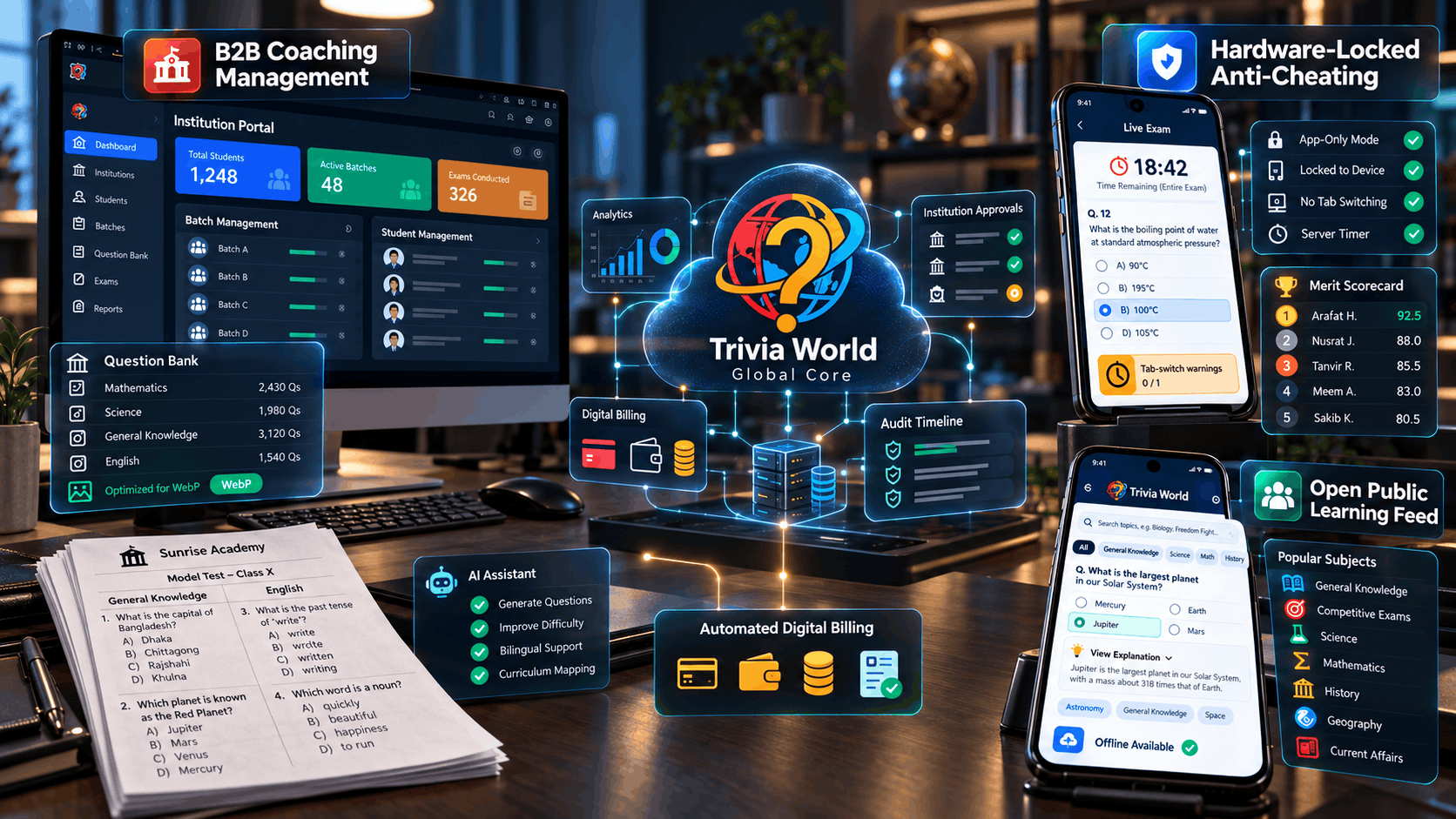
Connected by one platform
Empowering institutions and learners everywhere.
This illustration brings institution management, enrolled exams, and independent public practice together. Access checks keep each coaching center's records scoped to its own members.